
A.Cad & Skp Files
Published: 25-12-2025 at 09:58 pm
💻 Access on Desktop | Laptop | Tablet
👉 Visit: https://caddapp.com
📺 Bigger screen = Better Learning Experience
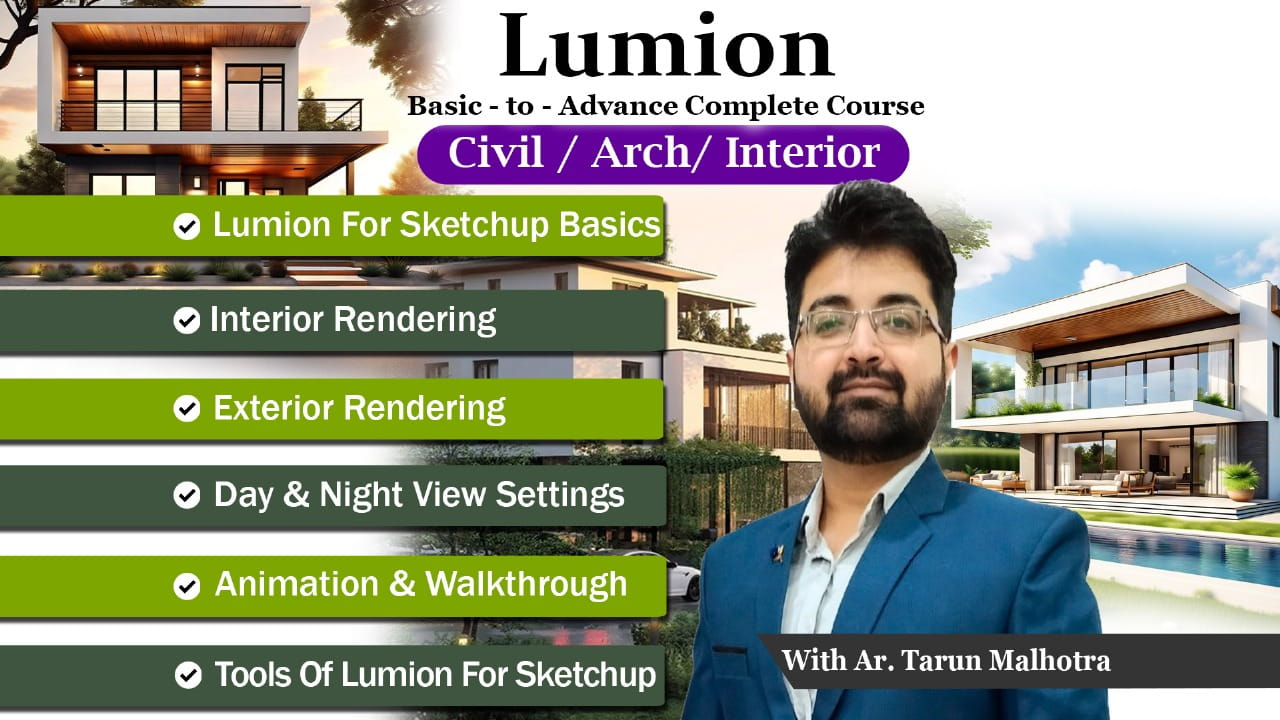
📌 Lumion Pro Complete Course
📞 Support (WhatsApp): 9467191173
🎥 25 Recorded Classes (~1 Hour Each)
⏳ Lifetime Access on Mobile, Laptop & Desktop
🌟 Covers Interior, Exterior, Architecture, Animation, Walkthroughs & Phasing
📚 Course Syllabus
🟢 Lumion Basics
✅ Interface & Navigation
✅ Import models from SketchUp / Revit / AutoCAD
✅ Material Editor & Custom Textures
✅ Lumion Library Assets (Furniture, Trees, Cars, People)
🏠 Interior Visualization
✅ Lighting setup for interiors
✅ Materials & textures
✅ Realistic interior rendering
✅ Post-processing & effects
🏡 Exterior & Architecture Visualization
✅ Site & landscape setup
✅ Realistic exterior materials
✅ Sky, weather & environment settings
✅ Day & night rendering
🎬 Animations & Walkthroughs
✅ Camera paths & keyframe animation
✅ Interior & exterior walkthroughs
✅ Phasing & construction sequence
✅ Export high-quality videos
🔌 Advanced Features
✅ Effects (DOF, reflection, shadow, fog)
✅ HDRI & real skies
✅ 360° panorama views
✅ Optimize speed & render quality
👥 Who Can Join?
🎓 Students | 🏗️ Architects
🛋️ Interior Designers | 👷 Civil Engineers
💻 Freelancers & 3D Visualization Artists
⚠️ Important Note
🚫 No Refund Policy
🚀 Start now & create stunning architectural visualizations with Lumion!
Basics of Lumion Pro : Interface and tools.
Basics of Content Library and Materials in Lumion pro.
Basics of Lighting for Interiors in Lumion pro.
Basics of Camera Placement and Exterior Daylight in Lumion Pro.
Bedroom Interior View settings in Lumion pro.
How to Livesync Lumion with Autocad and Revit and Sketchup.
Or pick one below
25% off
40% off
$16.33